...
- Use a browser extension / desktop REST client, such as Postman
Postman is the current industry standard: Go to https://www.getpostman.com/ to install, and visit the Postman Learning Center for user documentation, training videos, and support help.
- Access ProVision's APIv2 Swagger documentation from your ProVision instance ( instance/dev/swagger), which provides the ability to test inputs and responses using your ProVision instance data.
- Continue to the section below: "APIv2 - Using Swagger" for more details, or see the ProVision Developer Tools page for a broader overview.
- Use CURL in the command line to authenticate and execute APIv2 endpoints. See cURL documentation at https://curl.haxx.se/.
- Continue to the section below: "APIv2 - Using cURL" for more details, examples, and tips.
...
- IPAM API
Includes actions for LIRs, IP aggregate and block management, VLAN, IP Rules, and SWIP. - Resource API
Includes actions for managing the ProVision the ProVision Resource System.
The resource API provides CRUD endpoints for resources, resource attributes, resource attachments and resource backups. - DNS API
ProVision DNS API allows you to manage DNS Zones, Records, Servers, Groups and ACLS. - Users API
Includes actions for ProVision Users, permissions and actions. - Usergroups API
Includes actions for ProVision Groups, permissions and actions - Scheduler API
The API Allows you to easily schedule tasks. - API Composer Platform
API Composer Platform (ACP) is an additional module in ProVision to help automate frequently used combinations of calls.
...
- Navigate to the call that you want to try out.
Expand the call to view its details, then click the "Try it out" button.
Expand 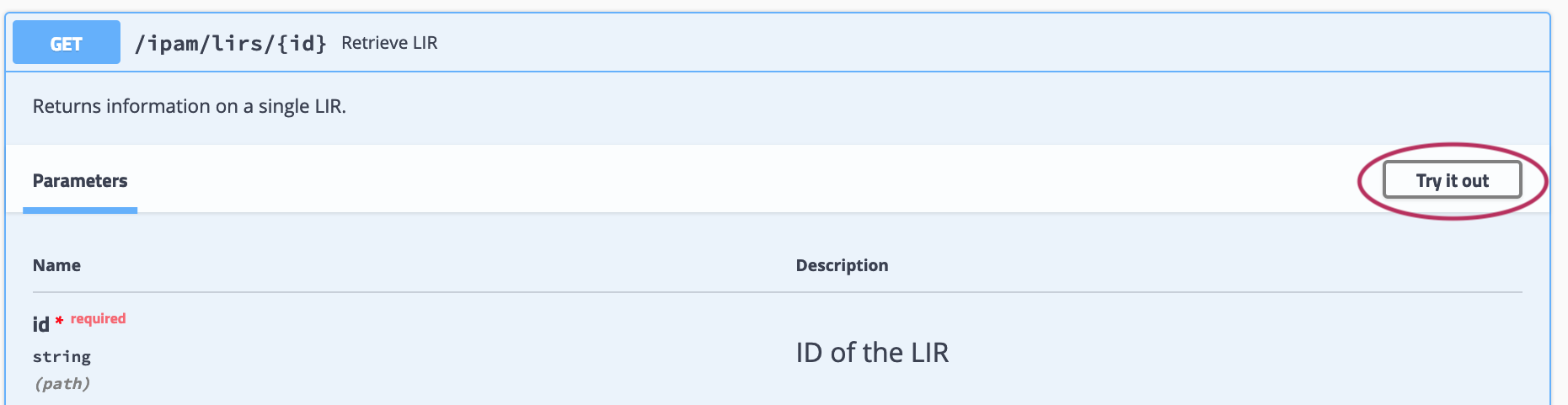
Input the desired parameters to test, and click "Execute".
Expand 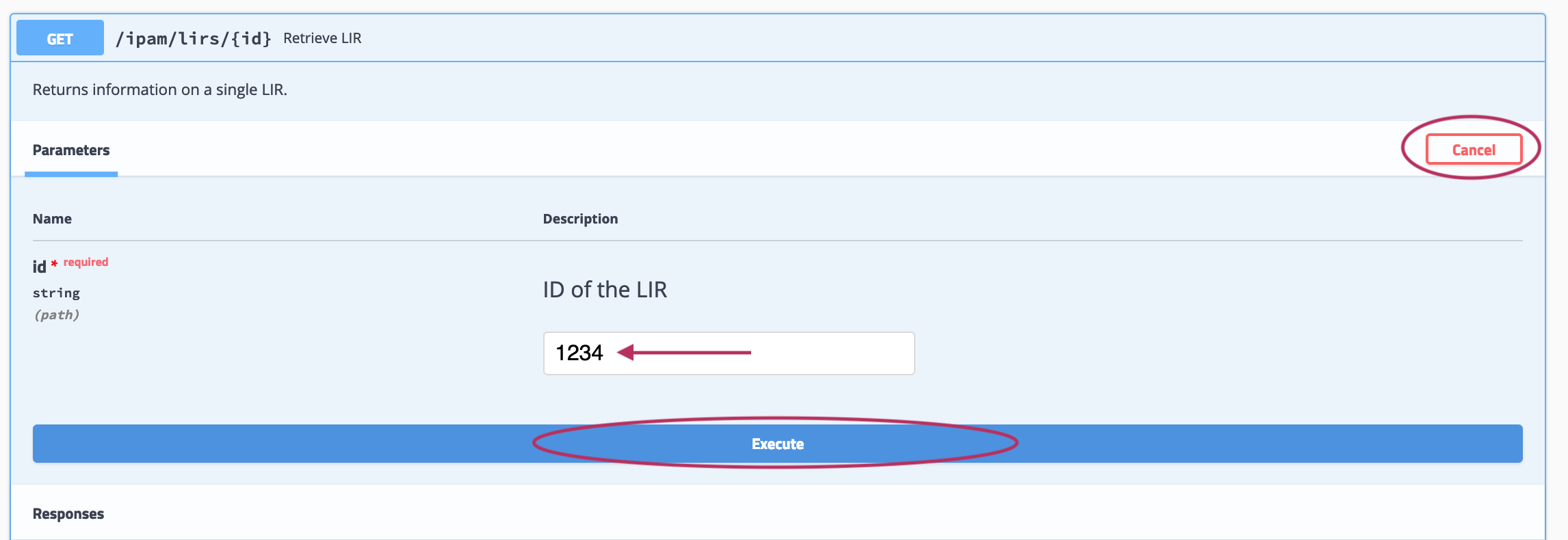
If the call is a method that uses a JSON request body, you will have the option to edit the body text in the "Example Value" box - when done, click "Execute".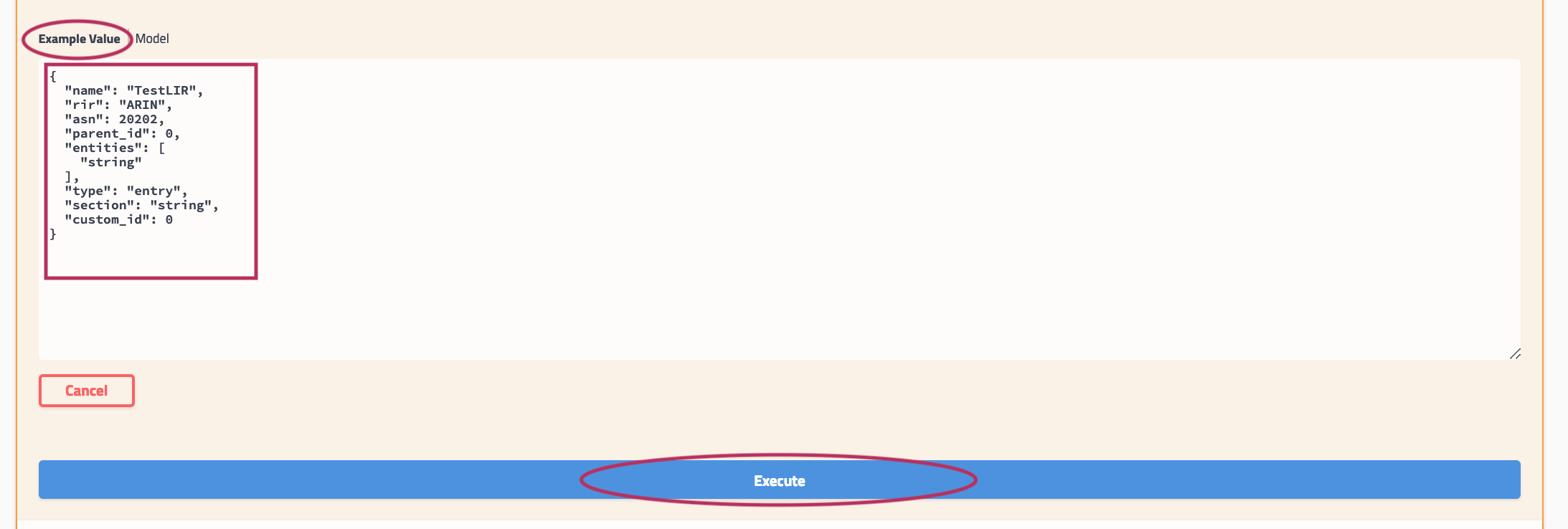
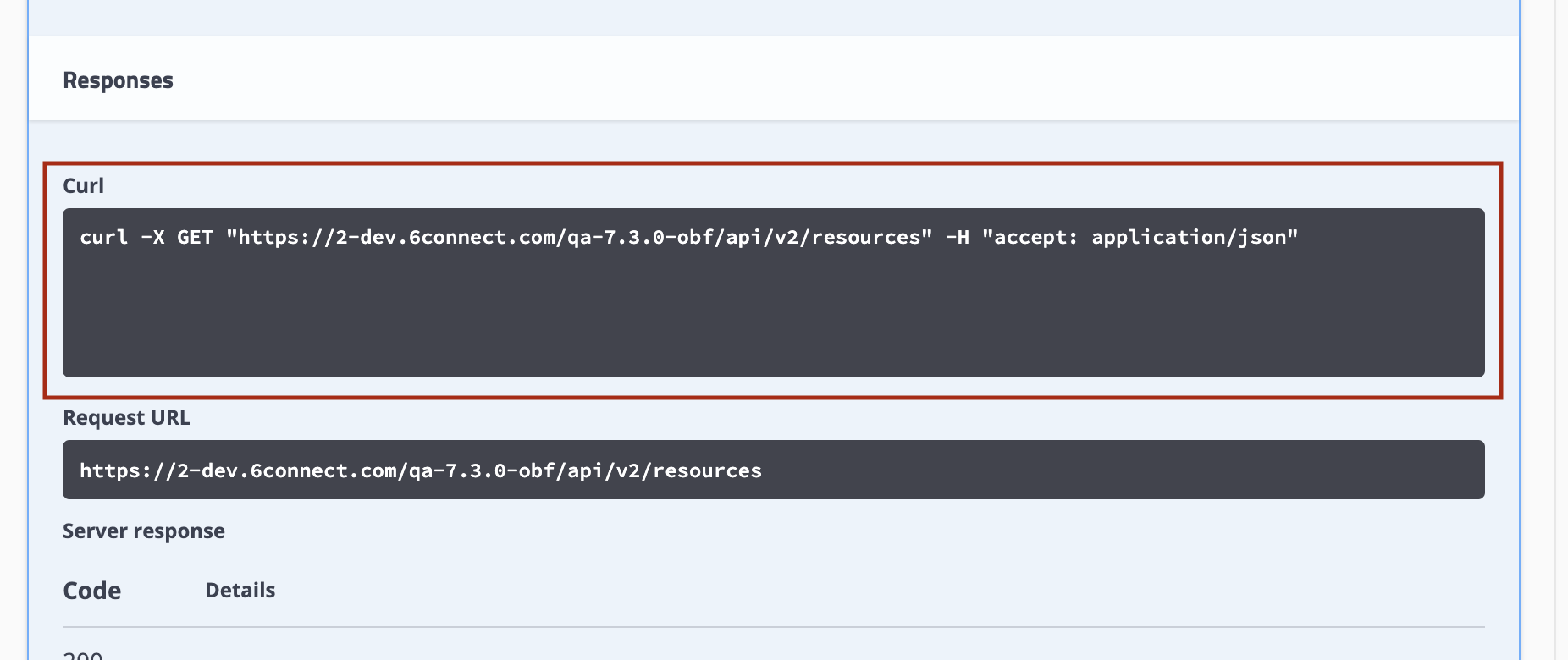
The example response will display under "Responses" after being executed. The "Response" section also includes the cURL command, Request URL, and Response Headers.
Expand 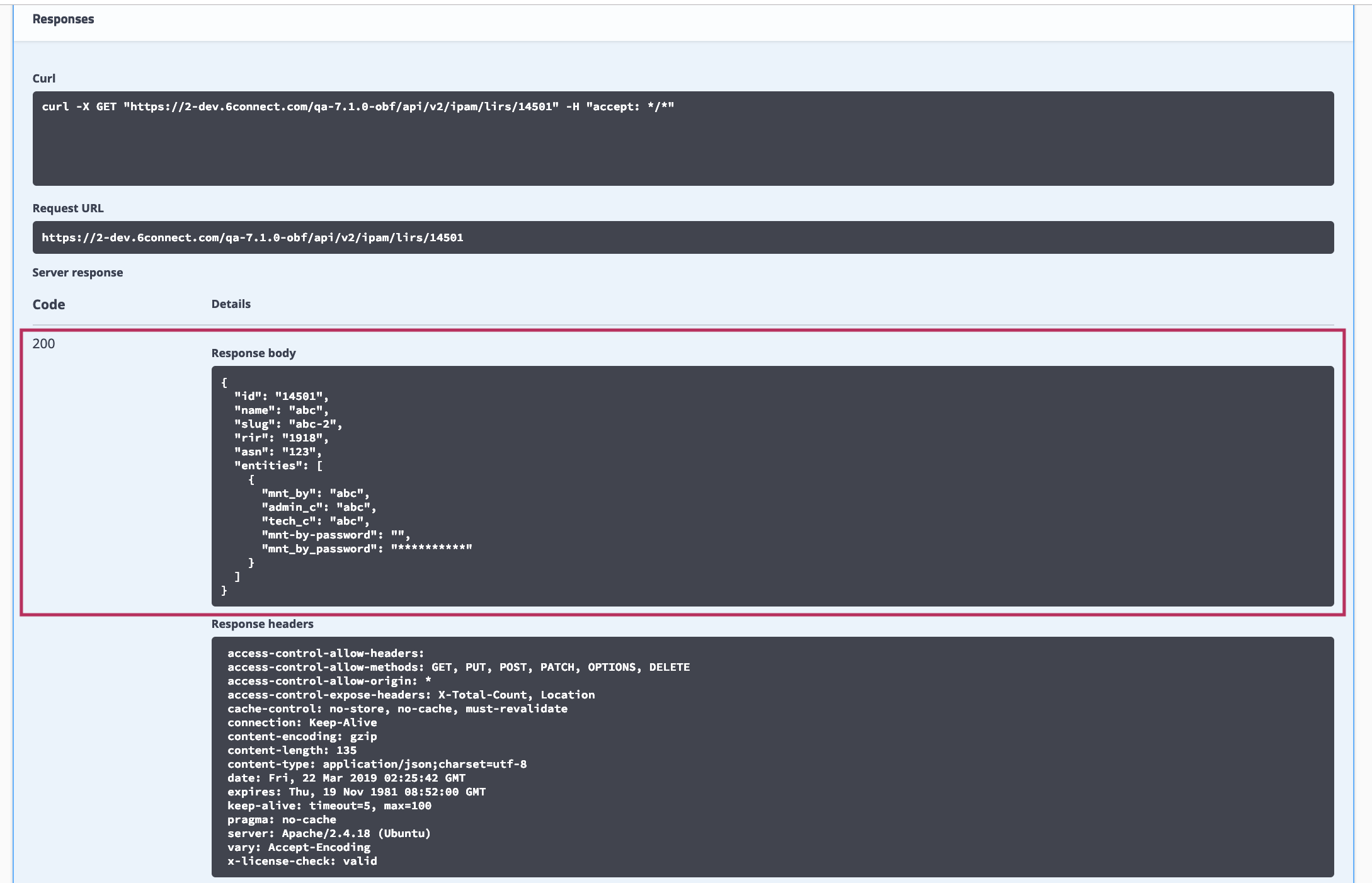
APIv2 - Nested Queries
You can use nesting to write more complicated API calls to handle multiple conditions. Here, we'll illustrate a query with an OR / AND condition, such as to find resource entries with (Section = 76 OR Section = 77) AND managed = Yes:
| Code Block |
|---|
{"type": "entry","attrs":[{"key":"_custom_id","value":"101","rule":"AND"},{"attr_rule":"AND","attr_nested":[{"attr_key":"_section","attr_value":"78","attr_rule":"OR"},{"attr_key":"_section","attr_value":"74","attr_rule":"OR"}]}]} |
You should be able to adapt that to point at whatever attributes you like.
Here it is in CURL format:
| Code Block |
|---|
curl -X POST "https://2-dev.example.com/qa-7.4.1/api/v2/resources/query" -H "accept: application/json" -H "Content-Type: application/json" -d "{\"type\":\"entry\",\"attrs\":[{\"key\":\"_custom_id\",\"value\":\"101\",\"rule\":\"AND\"},{\"attr_rule\":\"AND\",\"attr_nested\":[{\"attr_key\":\"_section\",\"attr_value\":\"78\",\"attr_rule\":\"OR\"},{\"attr_key\":\"_section\",\"attr_value\":\"74\",\"attr_rule\":\"OR\"}]}]}" |
APIv2 - Using cURL
One option to execute an APIv2 call is to use CURL from the Command Line.
...
| Info | ||
|---|---|---|
| ||
Swagger displays cURL commands and request URLs in the execution response! Use the "Try it Now" feature from your instance's Swagger page (Accessed from Admin → API Tab → APIv2 Swagger Documentation) for the endpoint/attribute changes you wish to make, and view the cURL command for that change. Copy the command text, and use it as a template for your next cURL execution of the command!
For help using Swagger to test endpoints, see "Testing Endpoints in Swagger" in this APIv2 documentation page. |
cURL Examples
Example: cURL APIv2 Authentication
...
Review the general CURL documentation at https://curl.haxx.se/ can offer greater insight into what other flags can be used.
Example: cURL / APIv2 Nested Query
You can use nesting to write more complicated API calls to handle multiple conditions. Here, we'll illustrate a query with an OR / AND condition, such as to find resource entries with (Section = 76 OR Section = 77) AND managed = Yes:
{"type": "entry","attrs":[{"key":"_custom_id","value":"101","rule":"AND"},{"attr_rule":"AND","attr_nested":[{"attr_key":"_section","attr_value":"78","attr_rule":"OR"},{"attr_key":"_section","attr_value":"74","attr_rule":"OR"}]}]}
The items in bold red are the necessary components to achieve the AND/OR condition in a nested format, though the attributes used may be changed depending on your needs.
The same query in cURL is given below:
| Code Block | ||
|---|---|---|
| ||
curl -X POST "https://2-dev.example.com/qa-7.4.1/api/v2/resources/query" -H "accept: application/json" -H "Content-Type: application/json" -d "{\"type\":\"entry\",\"attrs\":[{\"key\":\"_custom_id\",\"value\":\"101\",\"rule\":\"AND\"},{\"attr_rule\":\"AND\",\"attr_nested\":[{\"attr_key\":\"_section\",\"attr_value\":\"78\",\"attr_rule\":\"OR\"},{\"attr_key\":\"_section\",\"attr_value\":\"74\",\"attr_rule\":\"OR\"}]}]}" |
Example: cURL APIv2 Attach Zone to a DNS Group
To attach a newly created DNS Zone to a DNS Group using APIv2, you need to make a Resource Link with the relation type "dnsZoneView":
| Code Block | ||
|---|---|---|
| ||
curl -X POST "https://2-dev.example.com/qa-7.4.3/api/v2/resources/274/links" -H "accept: application/json" -H "Content-Type: application/json" -d "{\"resource_id\":\"15648\",\"relation\":\"dnsZoneView\",\"data\":{}}" |
Where resource #274 is the "Default Group" on the instance (your instance may vaey), and Resource #15648 is the resource ID for the new zone. The two are now linked together.
To attach a DNS server to a DNS Group you use the same process but the relation is "dnsViewServer".
To attach a zone to a server directly the relation is either "dnsZoneMaster" or "dnsZoneSlave" depending on what you're doing.
Additional Information
See the following areas for additional information:
- ProVision Developer Tools
- Public APIv2 Swagger documentation: https://cloud.6connect.com/APIv2/.