Scheduler
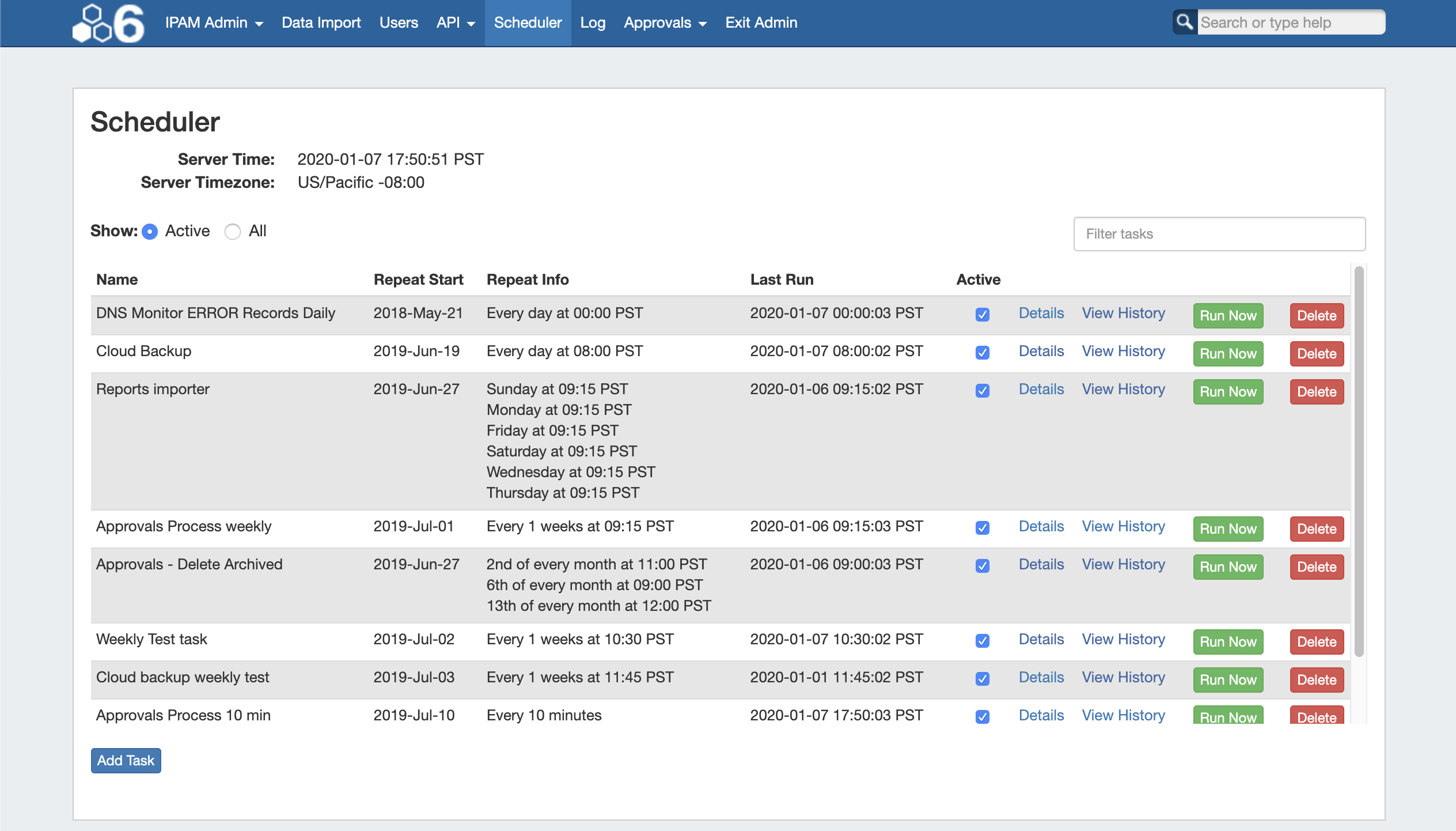
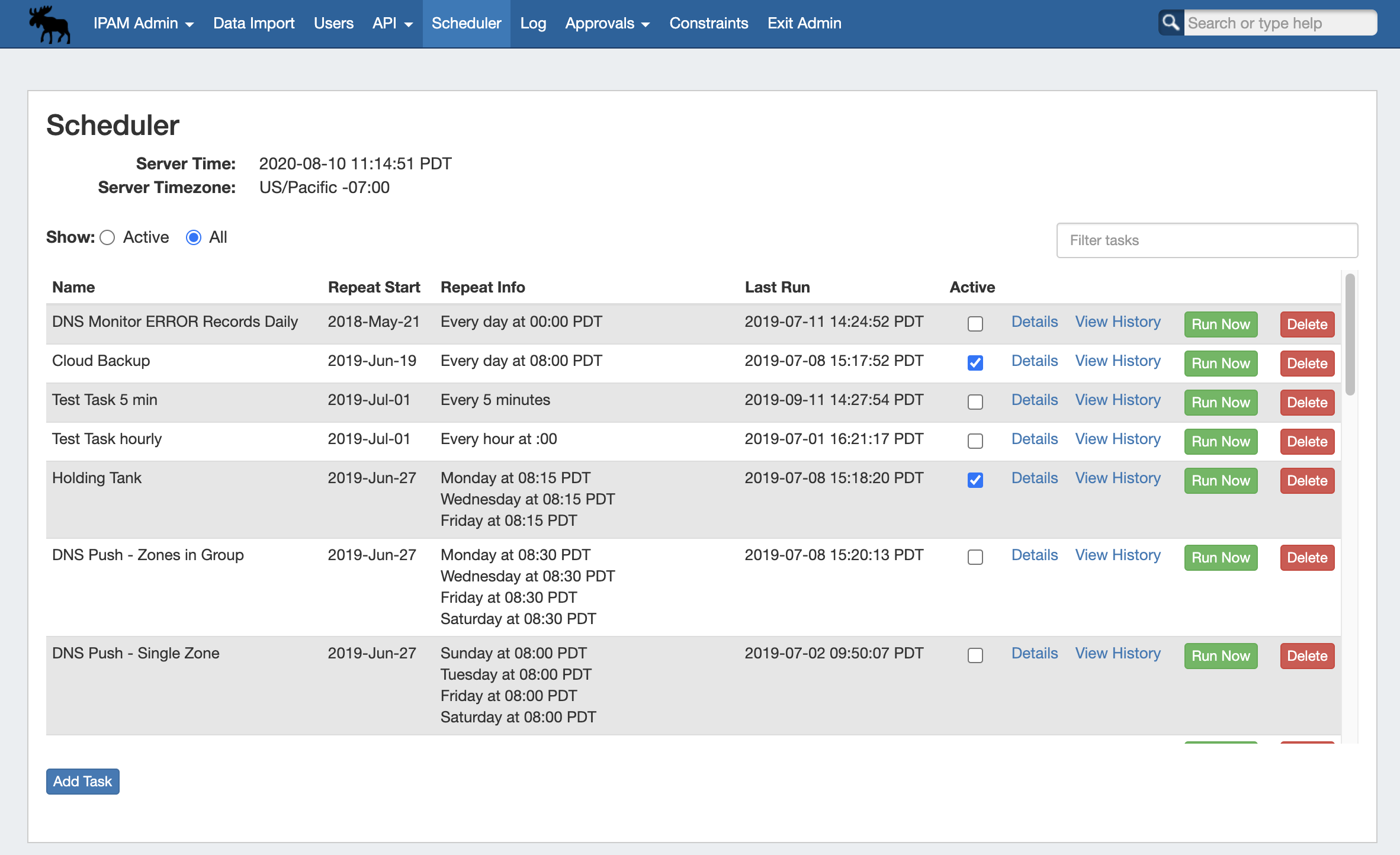
The Scheduler tab allows you to manage and schedule repeating tasks in ProVision.
...
- Approvals - Delete events older than 1 month:
The "Approvals - Delete events older than 1 month" task deletes any Approvals history events older than 30 days. It is recommended to run this task monthly to clear out obsolete approvals items and reduce approvals page load time. For information on working with Approvals, see DNS Tab and Approvals.
- Approvals - Process Subscription Events:
The "Approvals - Process Subscription" task processes approval request events and handles the sending of notification emails to subscribed Approvals Groups. If Approvals are in use with notifications, it is recommended to create this task with a run time of "every 5 minutes" and no end date. For information on working with Approvals, see DNS Tab and Approvals.
- Backup - Backup the database
Performs a data backup to the ProVision cloud ProVision cloud servers, or to a selected resource server existing in ProVision.
- Backup - Delete old archived data and logs:
The "Delete old archived data" task removes data older than 30 days from archived resources, logs, systems logs, and statistics from your ProVision instance. Be sure to use care with running this task to prevent accidental deletion of log data that may still be necessary for reference. It is typically recommended to run this task once every 1-3 months to reduce log data volumes.
- DHCP Leases Monitor:
Updates lease monitoring and checks for lease expiration for the DHCP module. See DHCP Tab for additional information on setting up DHCP Servers and Push options.
- DHCP Server Push:
Pushes configuration updates to the selected DHCP server(s). Select push to a single server, or all DHCP servers. See DHCP Tab for additional information on setting up DHCP Servers and Push options.
- DNS Error Monitor:
Checks the DNS records in theError state to determine if they have been fixed. Default setup is once a day, and you can set it to run more often if necessary. This task may replace or supplement the manual DNS Zone / Record "Check" button, depending on set frequency.
- DNS Resource Monitor:
Checks Records/Zones periodically to monitor DNS server response.
- DNS Zone Transfer:
Pushes zone updates to the DNS servers. Select pushes to apply to all zones in a DNS Group, all zones on one server, or one particular zone. Requires the intended Group / Server / Zone to already exist in ProVision. See DNS Tab for additional information on setting up DNS Servers, Groups, Zones, and Push options.
...
Removes DNS Zone backups that are older than the " setting in the Scheduler Task. See DNS Tab for additional information on setting up DNS Servers, Groups, Zones, and Push options.
- GEO IP Exporter:
The Geo IP Exporter searches the ProVision instance for resources which have IP addresses and an address provided in the Contact Info Gadget, then saves the resulting .csv to the ProVision root directory.
- IPAM Alerts:
Set a time / frequency for IPAM aggregate alert emails to be sent to alert recipients. Alert recipient email and available space threshold percentage is set through the action menu for individual aggregates under the IPAM Tab. For information on setting up an alert for an aggregate, see Working with IP Aggregates. This task is created/enabled by default.
- IPAM - Process Holding Tank:
Removes IP Blocks from the Holding Tank and returns them to the available pool. See Holding Tank Management.
...
Location: Choose "Cloud" to save the backup to the ProVision cloudthe cloud, or "Server" to save to a specified server resource already defined in ProVision. If "Server" is selected, choose the server resource from the dropdown list.
...