Contacts Gadgets
Contact gadgets display contact information for the current resource, or link to contacts specified in the Contact Manager.
...
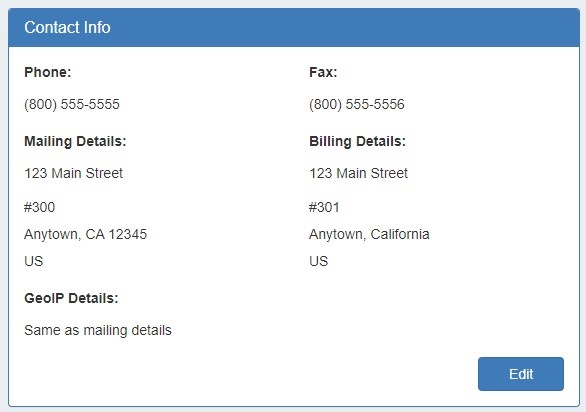
This gadget is used on the Resource Holder section type. In the Contact Info Gadget, you can track information such as mailing / billing addresses, phone number, and fax number for that resource. You may also add a separate GEO IP address, if desired.
Contacts
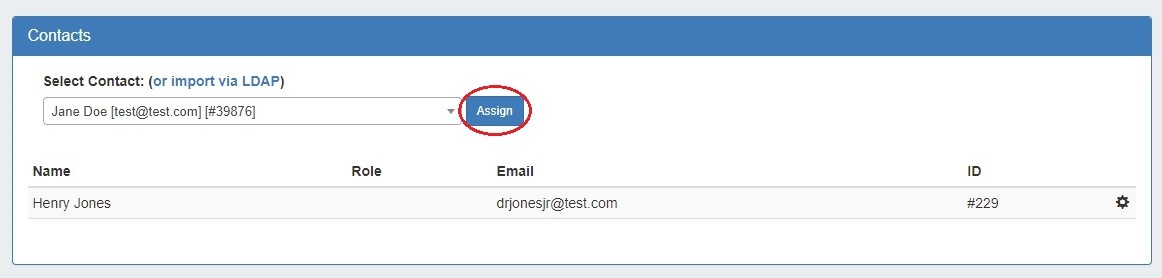
The Contacts Gadget may be used on any section type to assign a contact (from the Contact Manager) to a resource.
To assign a contact, search for and select the desired contact in the search box, then click "Assign". The contact will show in the list below.
Contacts Action Menu:
The Action Menu (gear icon) in the Contacts Gadget has three options:
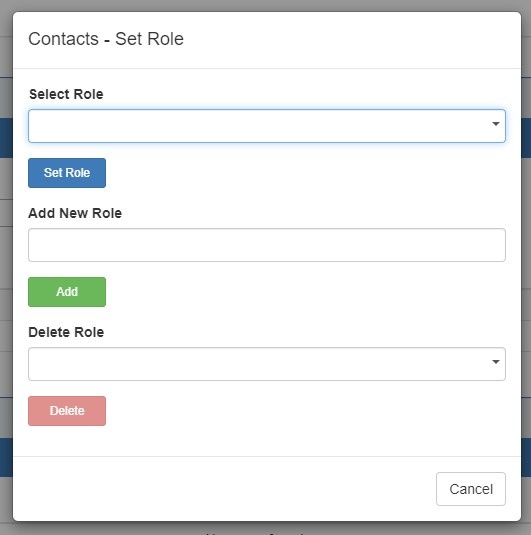
- Set Role: Opens a dialog box to select a role to assign to the contact, add a new role, or delete an existing role.
- Unassign: Unassigns the contact from the resource.
- View: Redirects to the contact's detail page in the Contact Manager.
...