Contacts Gadgets
Contact gadgets display contact information for the current resource, or link to contacts specified in the (8.1.0-8.1.1) Contact Manager.
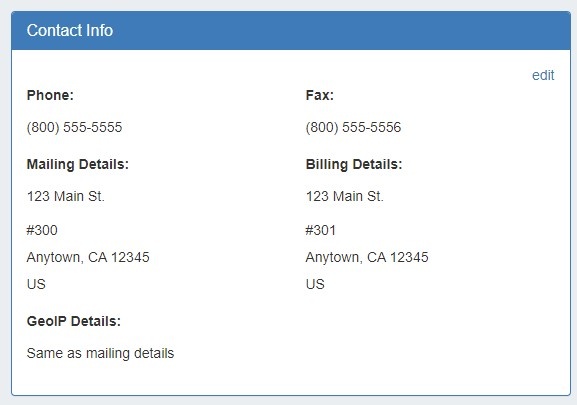
Contact Info
This gadget is used on the Resource Holder section type. In the Contact Info Gadget, you can track information such as mailing / billing addresses, phone number, and fax number for that resource. You may also add a separate GEO IP address, if desired.
Contacts
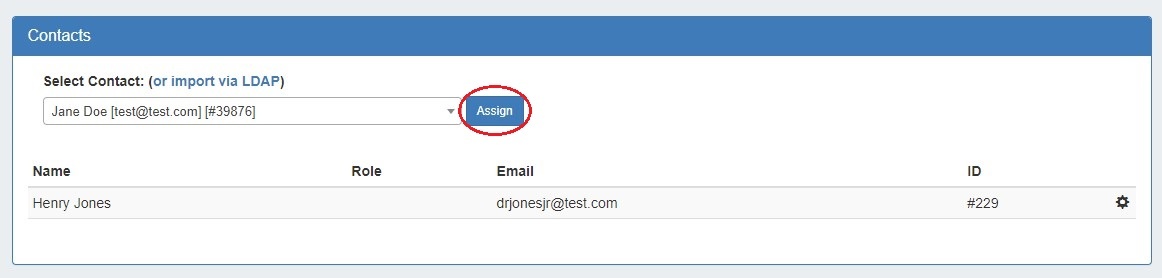
The Contacts Gadget may be used on any section type to assign a contact (from the (8.1.0-8.1.1) Contact Manager) to a resource.
To assign a contact, search for and select the desired contact in the search box, then click "Assign". The contact will show in the list below.
Contacts Action Menu:
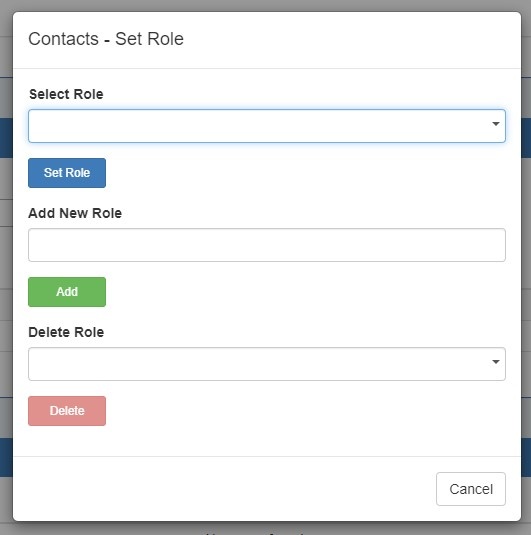
The Action Menu (gear icon) in the Contacts Gadget has three options:
- Set Role: Opens a dialog box to select a role to assign to the contact, add a new role, or delete an existing role.
- Unassign: Unassigns the contact from the resource.
- View: Redirects to the contact's detail page in the Contact Manager.
Refer to the (8.1.0-8.1.1) Contact Manager page in the documentation for more detail on working with the Contacts Gadget and the Contact Manager.
A Note on Permissions
The ability to view and assign a contact to a resource is restricted by the parent assigned to the contact upon creation. If a user does not have permissions for a contact's parent resource, that contact will not be able to be viewed / assigned via the gadget.