
...
Resource Importer Walkthrough - Step 6
Step 6: Import into ProVision
When all of the data is under the Section Grid tab, and any required field data filled in, you can import the data into Provision! From the Data menu, select "Import active Sheet into ProVision".
...
You may also click directly on the grid menu and select "Import".
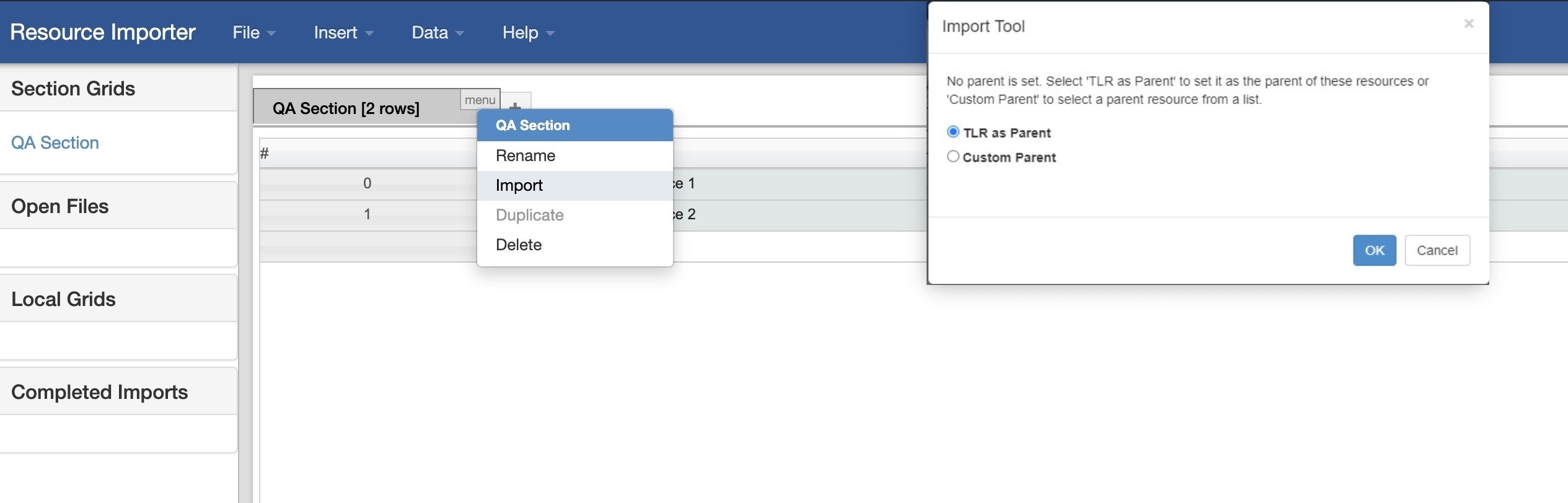
Select Parent Resource
After initiating the import, a dialog box will ask if you would like to assign TLR as the parent resource for the imported items - if so, click "OK".
...